Cisco ThousandEyes has been an integral part of Black Hat’s mission to provide a great attendee experience since 2023. At the recent Black Hat USA event in August, we naturally wanted our deployment to continue to grow and develop, while also incorporating the latest and greatest that ThousandEyes has to offer.
Infrastructure
As you might have read in previous years, Black Hat’s deployment is somewhat unique. The show is split into two major phases: trainings and the conference.
This is an important distinction because the monitoring needs shift based on the phase:
- Training days require us to keep a close eye on room-specific SSIDs.
- Conference days rely on a single conference-wide SSID to provide network coverage.
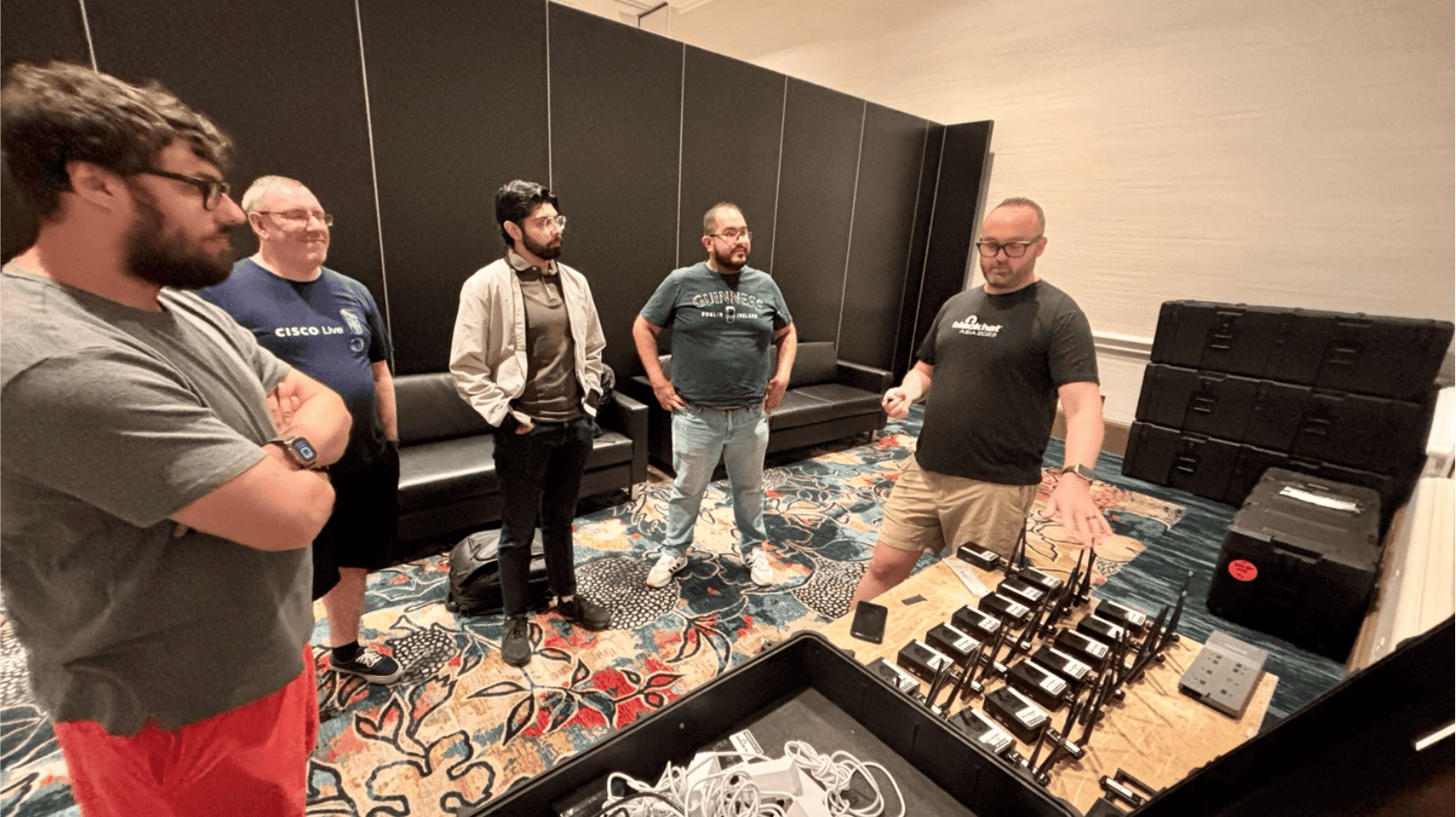
For this endeavor, our team developed a set of 14 new Enterprise Agents based on the Orange Pi 5 Plus platform, which, when added to the 17 existing agents, gave us a total of 31 agents to monitor rooms. These new agents had Wi-Fi 6 capabilities thanks to their PCIe M.2 expansion cards. This improved operational consistency of the hardware over the USB Wi-Fi cards.
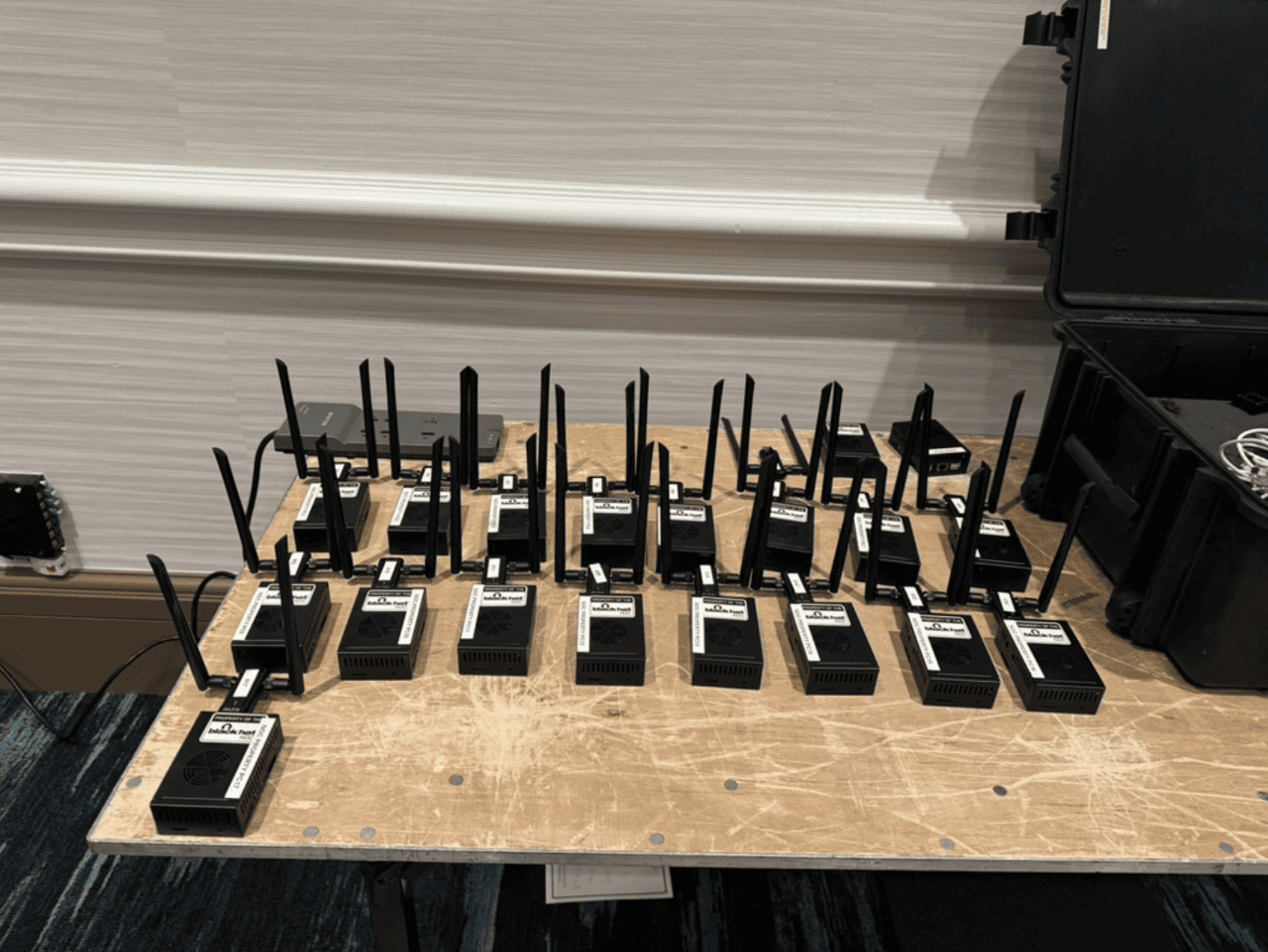
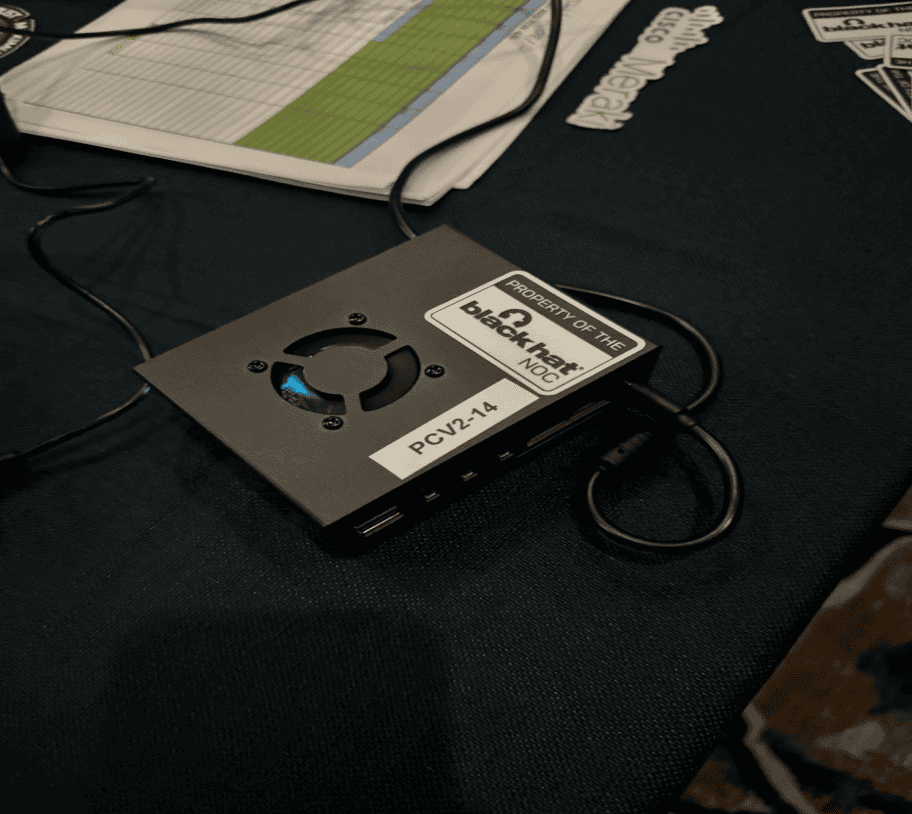
Our old Raspberry Pis from past events also made an appearance, this time with a Power over Ethernet (PoE) Hardware Attached on Top (HAT) that removed the need for an external power source. These battle-hardened agents were deployed on the distribution switches connected to the different APs serving the network. This granted both first- and second-hop visibility into our traffic.
In addition to these portable agents, we also had an agent deployed in the server room as a virtual appliance, which enabled us to run our tests closer to the network edge, bringing the final tally to 42 Enterprise Agents for monitoring.
Agent Setup
Getting the Enterprise Agents ready was no easy feat, especially during the training phase of the conference. Each agent needed to be deployed with a different set of SSIDs and PSKs for each one of the training rooms. To make this more manageable, we relied heavily on automation—specifically in the form of both custom scripts and Ansible playbooks.
Once we had the agent running, we needed to make sure each device had its room-specific SSID configuration in place. For this, we used a custom Bash script that took the correct SSID and PSK for each device, constructed a valid NetworkManager .nmconnection file, and pushed the file to the device. This ensured that both administrative overhead and human error were kept to a minimum during the setup.
Once the training phase was completed and we moved into the conference days, the same script was used to push the conference-wide SSID configuration data to the devices.
Once configured, our devices were deployed in the training rooms in inconspicuous places.

Monitoring Coverage
To make sure that all attendees were having a good experience with the network, we decided to run tests that would verify the performance and availability of both internal and external resources. These tests included:
- Connectivity and performance of the major cloud providers: AWS, Azure, and Google Cloud.
- Connectivity to the internal Umbrella DNS endpoint.
- Connectivity from the server room to the external Umbrella endpoint.
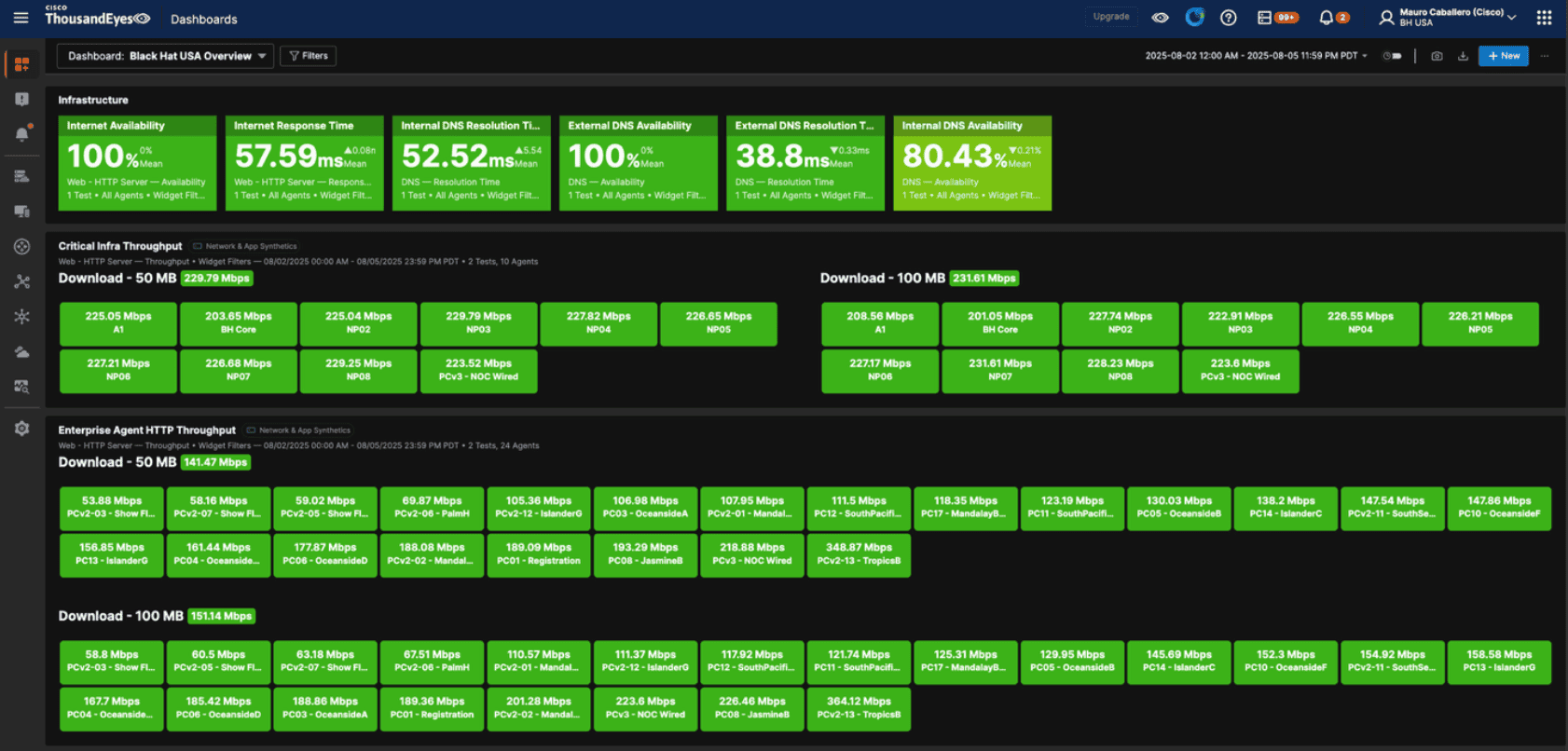
- As an overall estimate of SSID health, throughput tests for 50 MB and 100MB files.
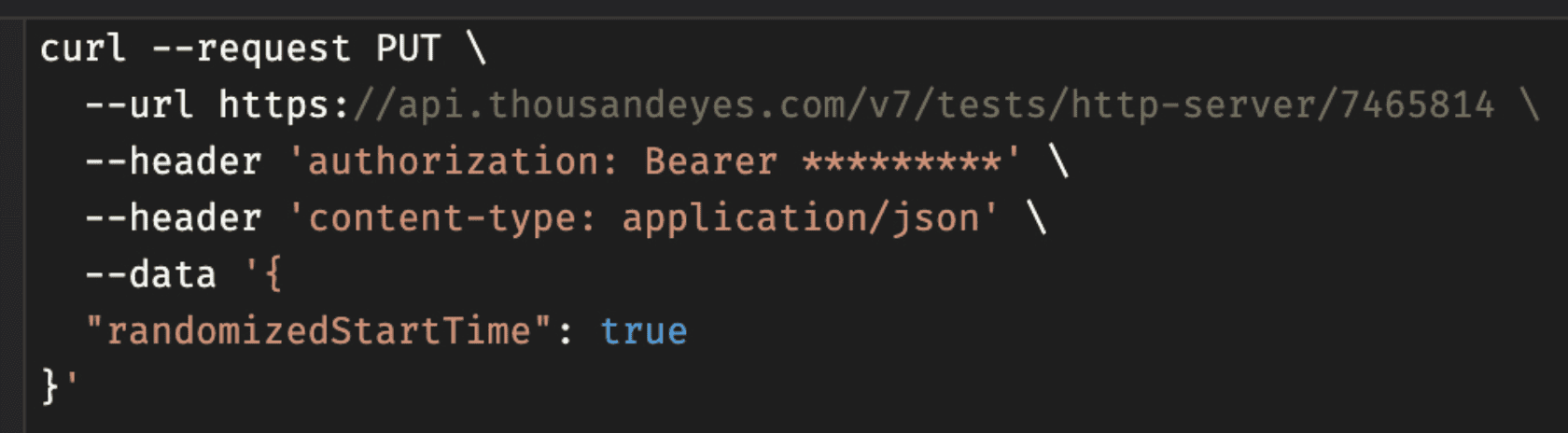
Due to the large number of agents at our disposal, and how often our tests were being run, a bit of tweaking was required so that our tests’ traffic would not saturate the network at once. Fortunately, ThousandEyes’ API came to the rescue, allowing us to enable randomized start times for all our tests and keep those requests staggered.
The resulting data was then collected and, with the assistance of the always-helpful test labels, displayed for the NOC team on a set of different dashboards.

Incident Resolution with ThousandEyes
During the conference, ThousandEyes agents were instrumental in making sure the attendee experience was on point. Below are a few examples of ThousandEyes working behind the scenes to save the day.
Detecting Unavailable Wi-Fi in a Training Room
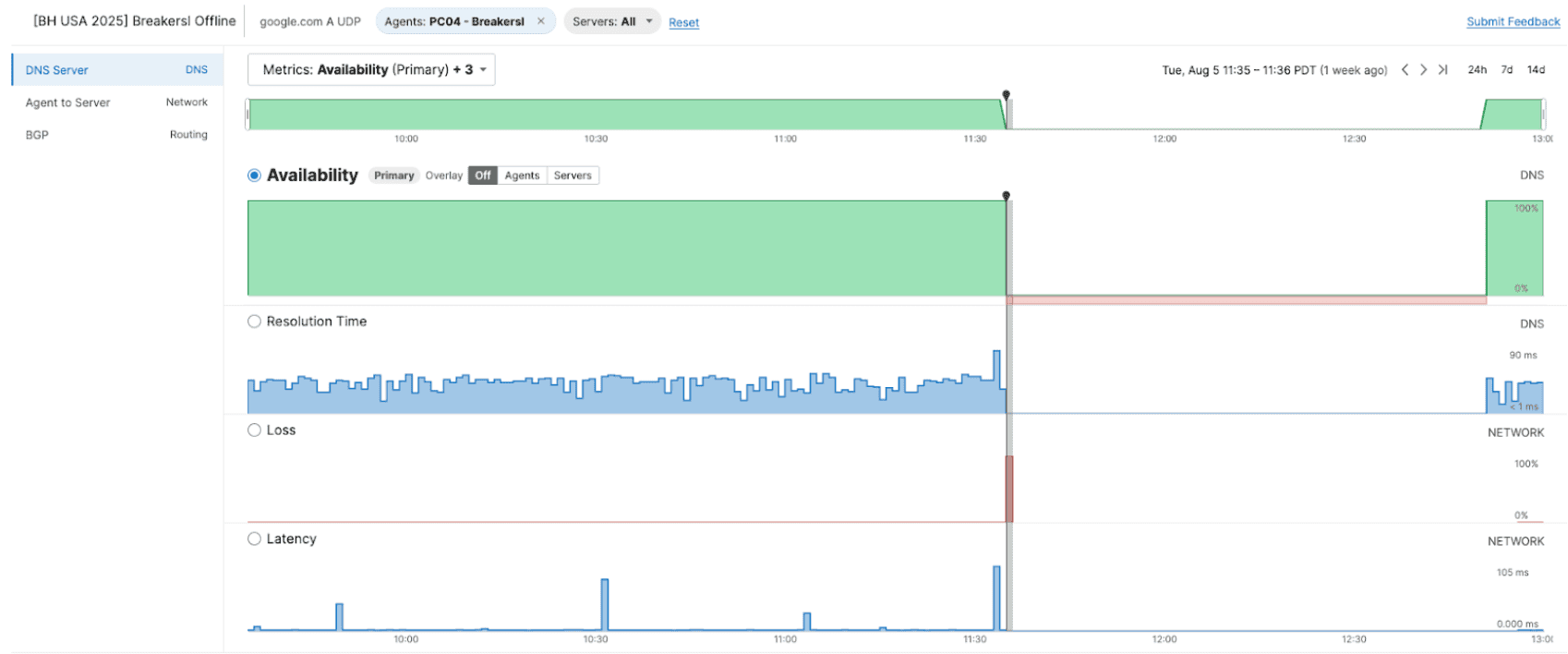
On August 5th, ThousandEyes identified a network issue where the Wi-Fi went offline for a specific training room, named Breakers I.
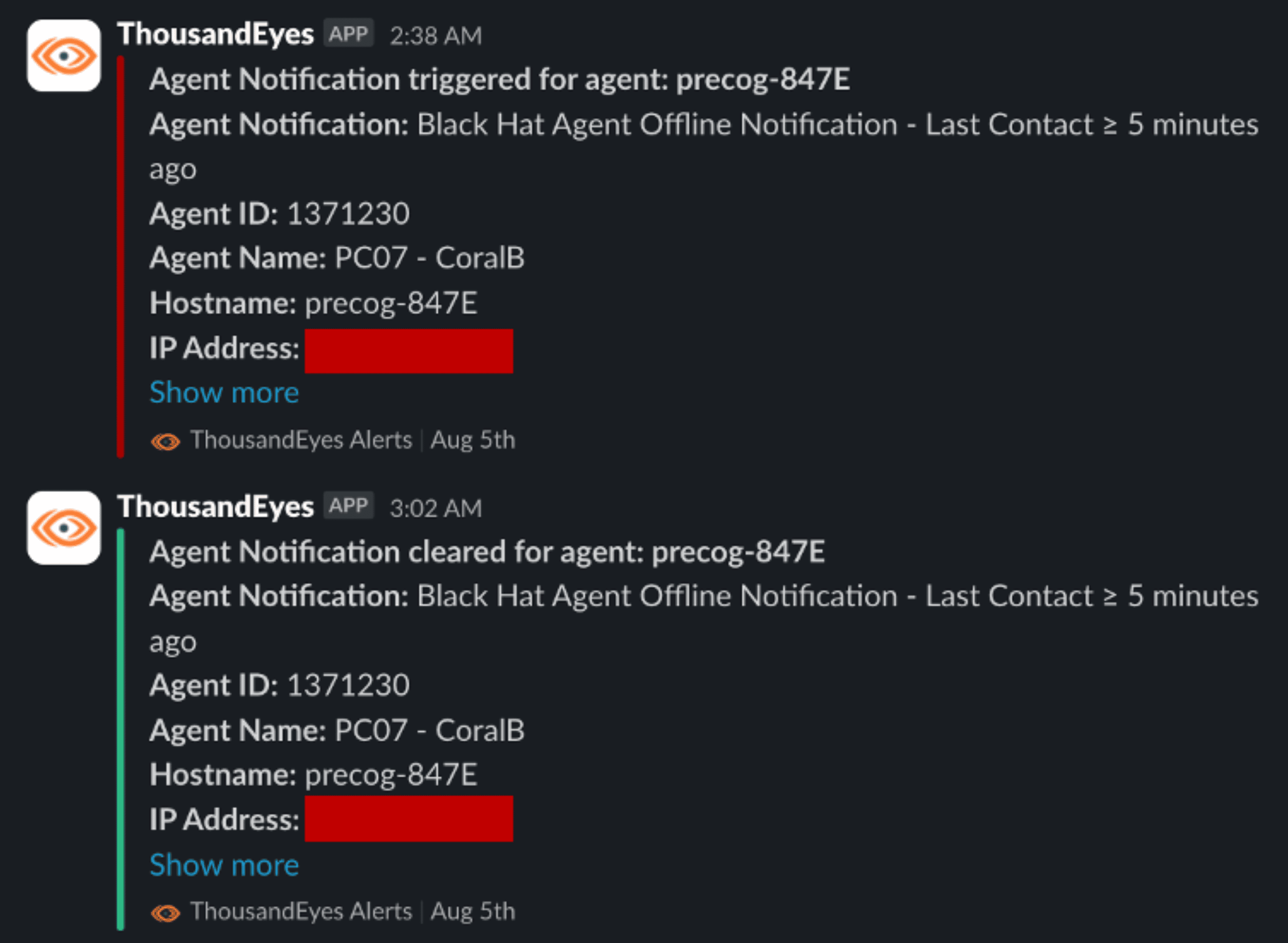
The investigation began when we observed that the Enterprise Agent in this room went completely offline. This meant that the agent’s wireless uplink became unavailable or there was an issue with the agent itself. An agent going offline triggered an Agent Alert, sending a notification to the NOC team.
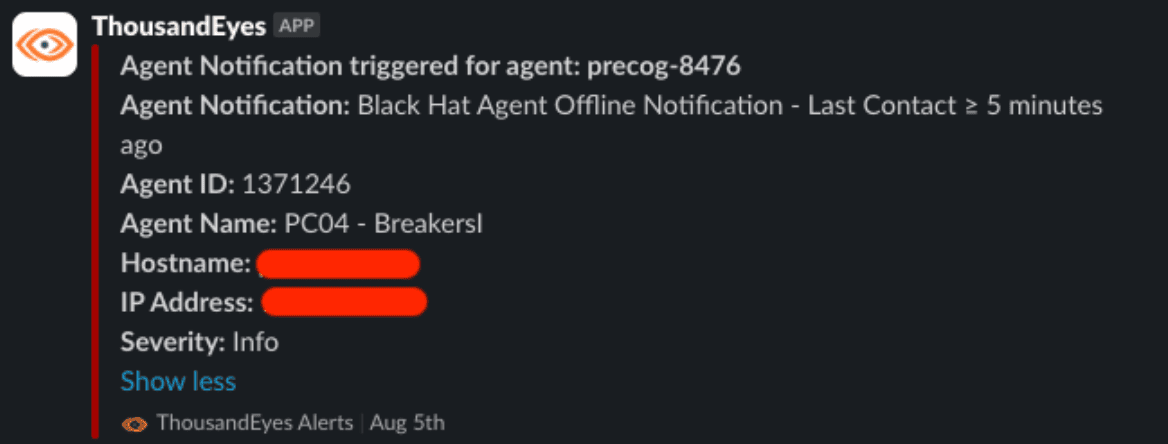
On the ThousandEyes platform, the results of the tests assigned to this agent stopped coming in, indicating a disastrous unavailability event:
Using existing infrastructure close to this room, we logged in via SSH to the agent next door. A Wi-Fi radio scan was performed to list the available SSIDs in the area. This confirmed that the “BreakersI” SSID was not being broadcast at all.

This issue was escalated to the wireless partner for further analysis. They confirmed an issue with the access point and restored the network to provide the best experience for the attendees.
Jasmine D in Trouble
On August 4th, our test results reported a concerning drop in throughput (from our regular ~75 Mbps to just over 1Mbps!) for one of the training rooms: Jasmine D. This drop caused our HTTP test to time out and eventually flag an issue.
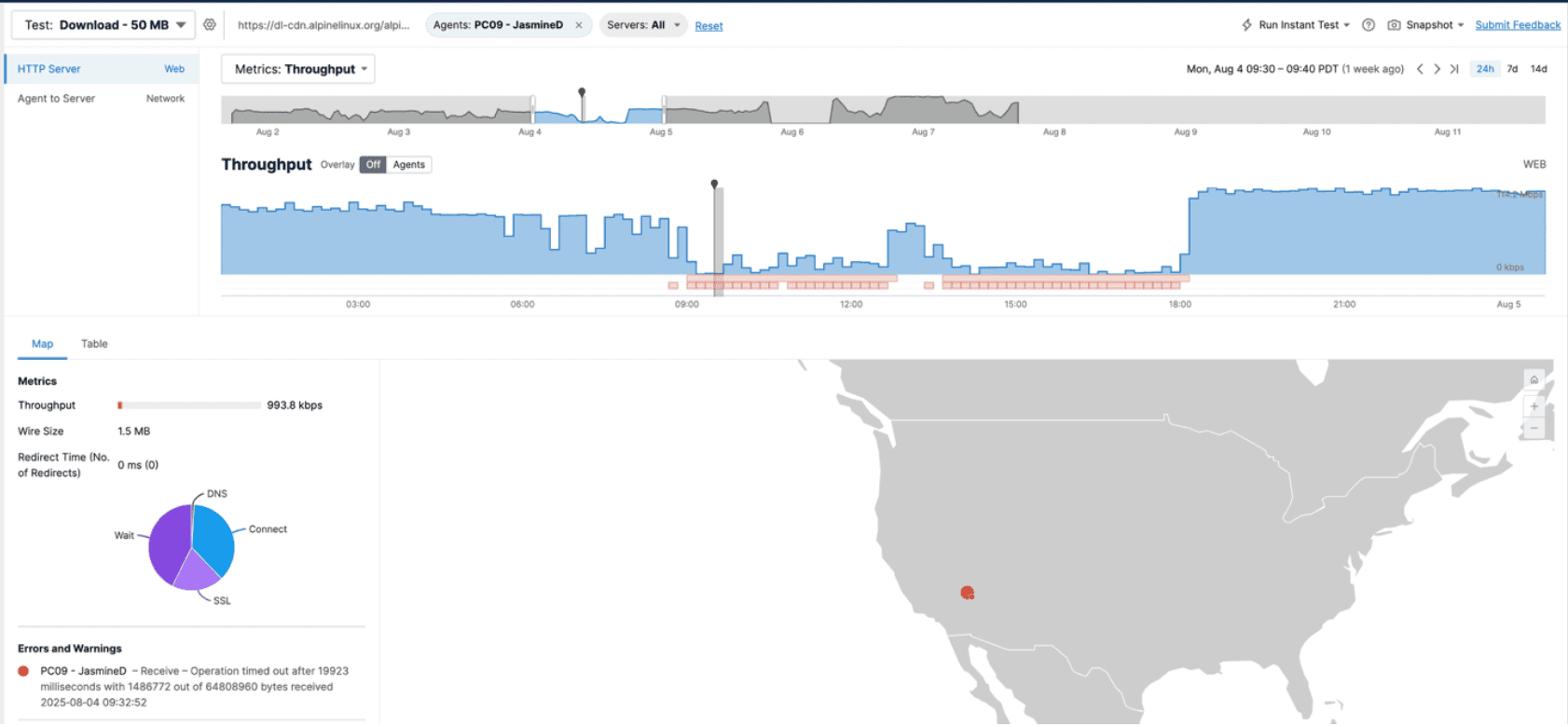
We immediately SSH’d into the device to get more information and, to our surprise, we discovered that the SSID we were connecting to (JasmineD, of course) was not providing the best signal strength.

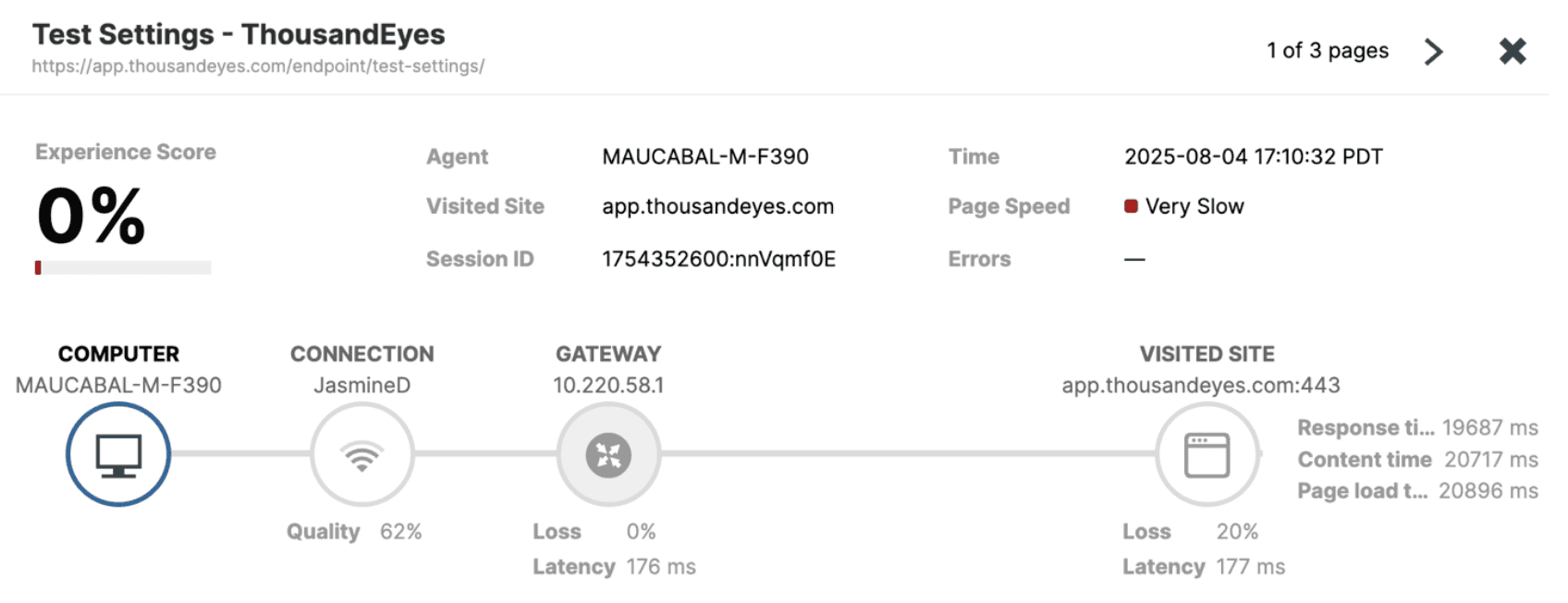
To further troubleshoot the issue, we decided to deploy an Endpoint Agent on one of our laptops and survey the affected room. What we found was, to be honest, kind of expected. The raw user experience was inconsistent—the same application could take anywhere from 3 to 30 seconds to load, or even time out entirely.
Using Real User tests provided better visibility into the issue, with wireless signal strength, gateway latency, and page load times being the biggest issues; while scheduled tests confirmed that gateway latency (sometimes reaching 2000ms of latency!) was off. Just as a reminder, that gateway IP is our access point.
Let’s put everything together now:
- All applications have inconsistent performance
- The room’s SSID received signal strength is not great
- Latency to the AP is through the roof
Diagnosis: The access point’s signal is not getting to our users properly.
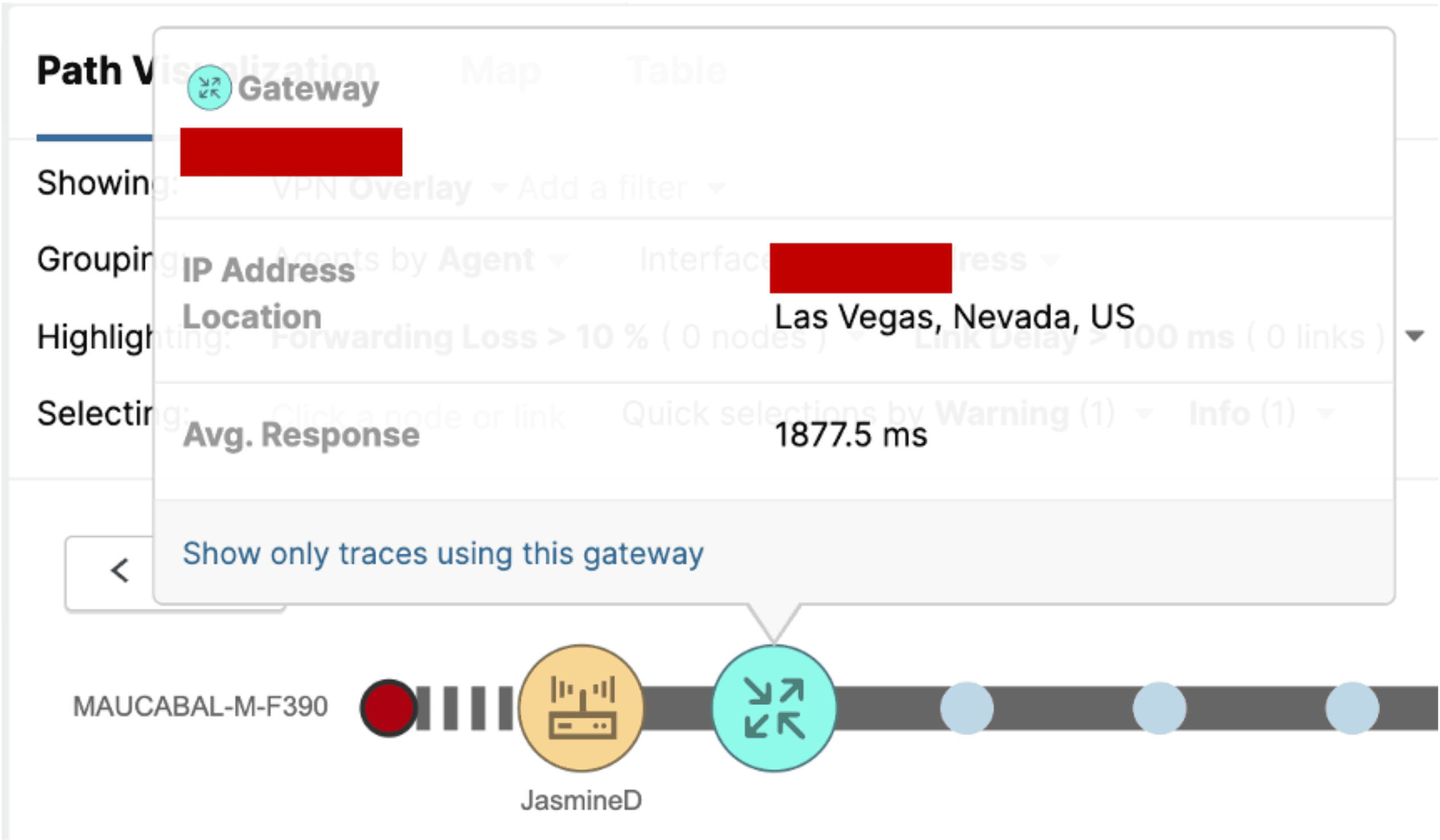
The issue was reported to the wireless team, which helped confirm that the particular SSID was getting provisioned by the access point located in JasmineB (the next room over)—hence why the wireless signal strength was so low inside the affected room. Increasing the Tx power overnight on the AP so the signal could better reach JasmineD fixed the issue.
Automated Alerting
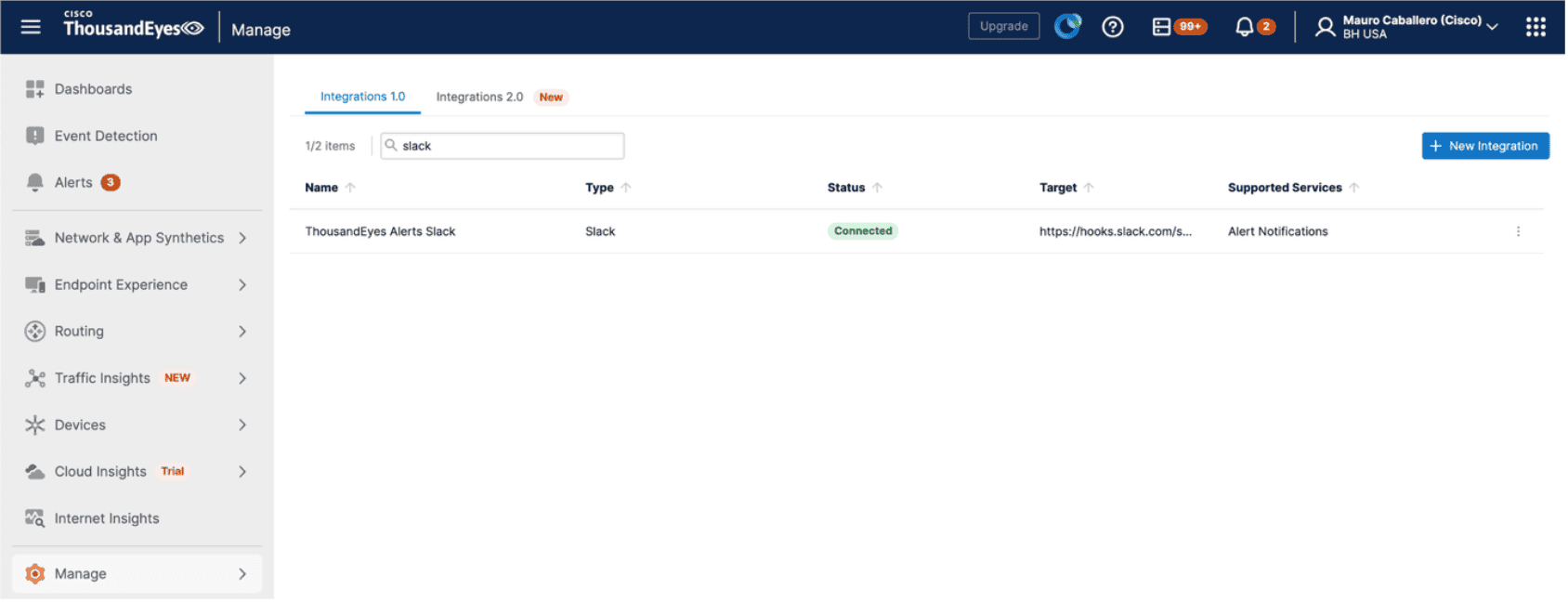
One of ThousandEyes’ cornerstones is the ability to integrate with third-party solutions for different purposes, from data streaming using OpenTelemetry to alert forwarding using webhooks. Since most of the NOC team’s communications took place over Slack, the solution was simple: integrate with Slack to notify about ThousandEyes alerts. What use is our data if we cannot get notified when something goes awry?
Streaming Data
ThousandEyes provides broad visibility into the attendee’s experience. To maximize the value of the collected insights, it is a strategic necessity to correlate the data on the centralized analytics platform used for the event: Splunk.
This was executed seamlessly with the Cisco ThousandEyes App for Splunk. It is a simple, powerful add-on that simplifies the configuration process for streaming data from ThousandEyes to Splunk.
At Black Hat, we used it to stream all ThousandEyes-collected metrics and create cross-platform dashboards.
The application can be installed by a Splunk Administrator using a simple set of steps.
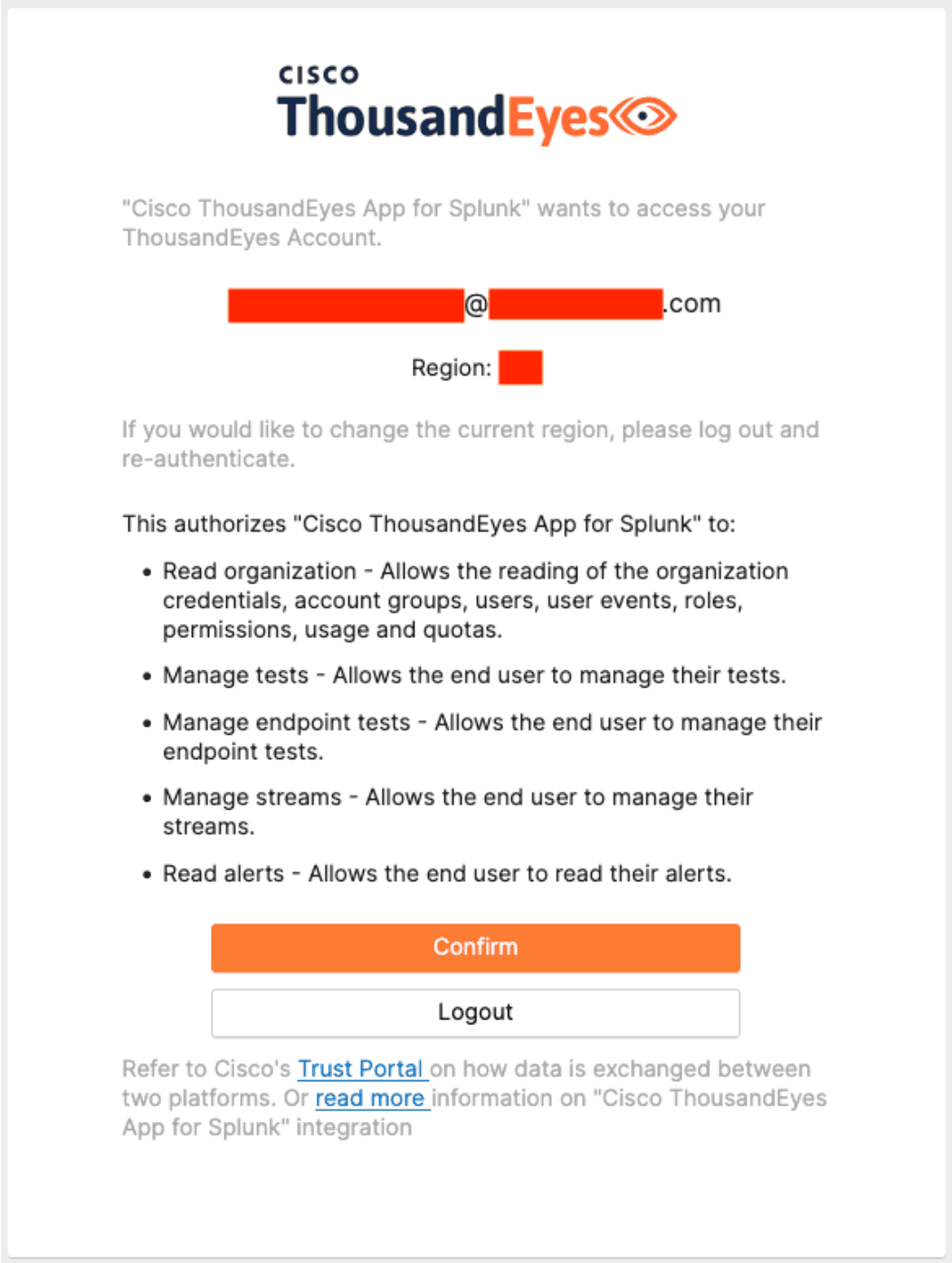
Once the add-on is installed, an authorization connector must be added. Behind the scenes, OAuth 2.0 is utilized to authenticate and authorize Splunk to configure ThousandEyes.
On the Splunk platform, open the “Cisco ThousandEyes App for Splunk” via the Apps menu. In the Configuration tab, click Add to authorize a new ThousandEyes user.
Follow the authentication steps. You will see a screen to authorize Splunk to access ThousandEyes on behalf of the user.
Once completed, a data input is added by switching to the “Inputs” tab. Click Create New Input →Test Stream.
Fill in the required fields and select the tests you wish to stream to Splunk.
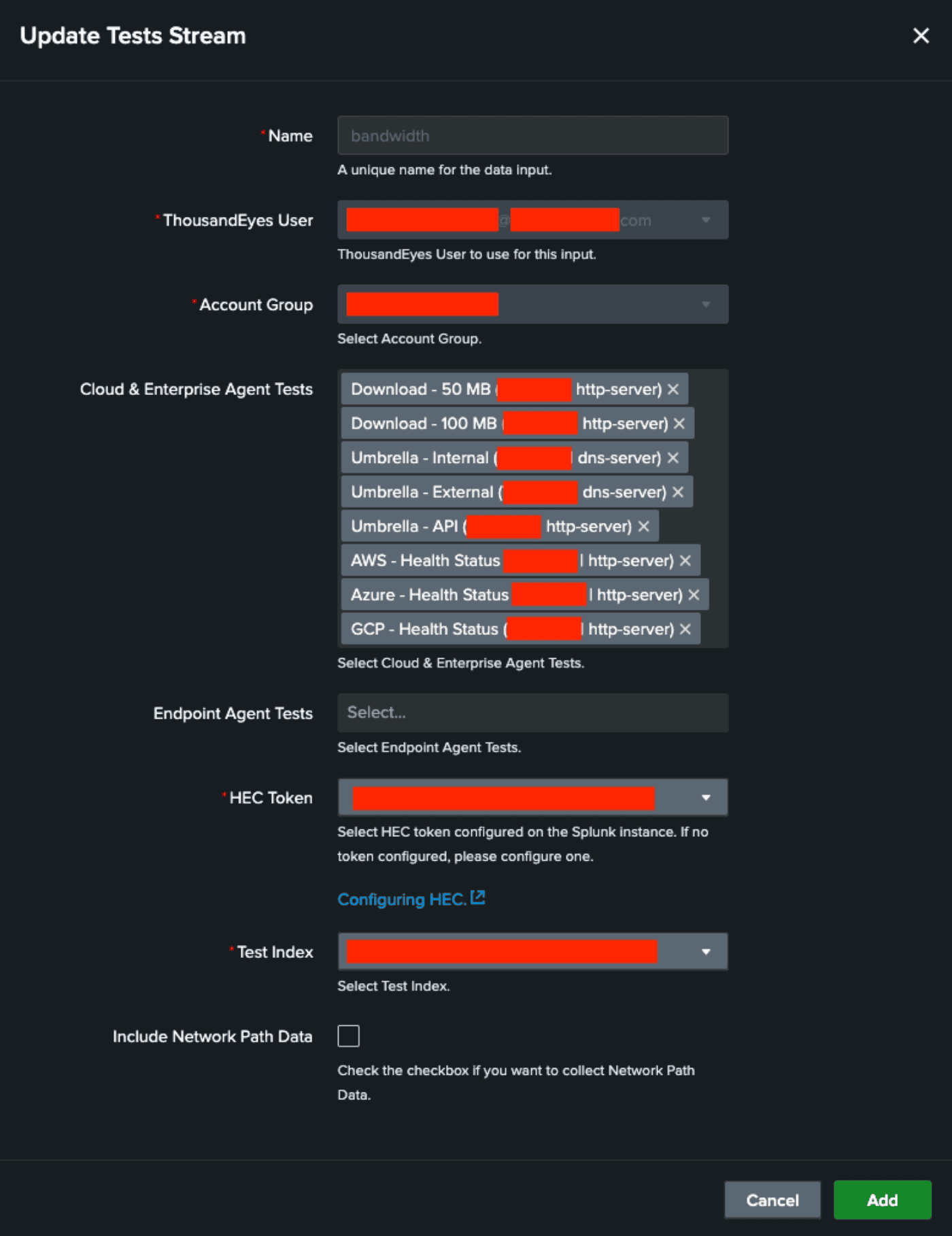
Once confirmed, the real-time metrics will be streamed to Splunk.
Refer to the ThousandEyes OpenTelemetry Data Model documentation for the full set of available metrics.
Our thanks to the Cisco team at Black Hat
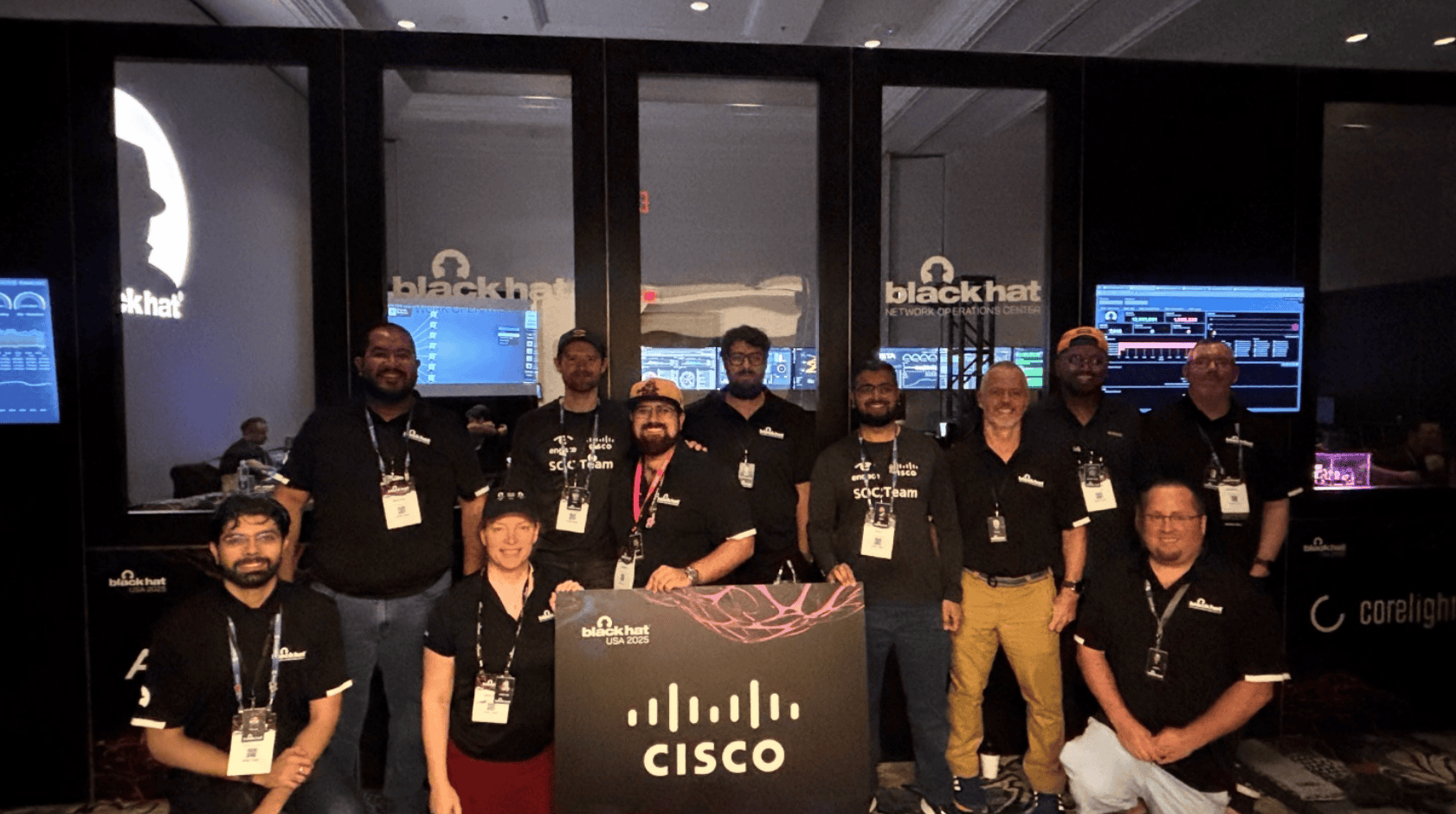
We extend our appreciation to the dozens of professionals who made the Black Hat USA 2025 NOC a great success.
About Black Hat
Black Hat is the cybersecurity industry’s most established and in-depth security event series. Founded in 1997, these annual, multi-day events provide attendees with the latest in cybersecurity research, development, and trends. Driven by the needs of the community, Black Hat events showcase content directly from the community through briefing presentations, training courses, summits, and more. Black Hat is an event series where all career levels and academic disciplines convene to collaborate and network, with events held in the United States, Canada, Europe, the Middle East and Africa, and Asia. For more information, please visit www.blackhat.com.