Datadog recently introduced support for ingesting OpenTelemetry metrics through the OpenTelemetry Protocol (OTLP) HTTP exporter. This enhancement allows organizations to forward ThousandEyes OpenTelemetry metrics into Datadog and correlate those insights with the telemetry already present across their Datadog observability stack.
In this guide, you’ll learn how to set up the integration step-by-step—from generating an API key in Datadog, to configuring the OpenTelemetry integration in ThousandEyes and visualizing your metrics in a Datadog dashboard.
Let’s learn how to build the integration
Step 1: Generate a Datadog API Key
To send metrics from ThousandEyes to Datadog, you’ll need a Datadog API key.
- In the Datadog platform, navigate to Organization Settings > API Keys.
- Click + New Key.
- Enter a Name and click Create Key.
- Copy and store your API key securely.
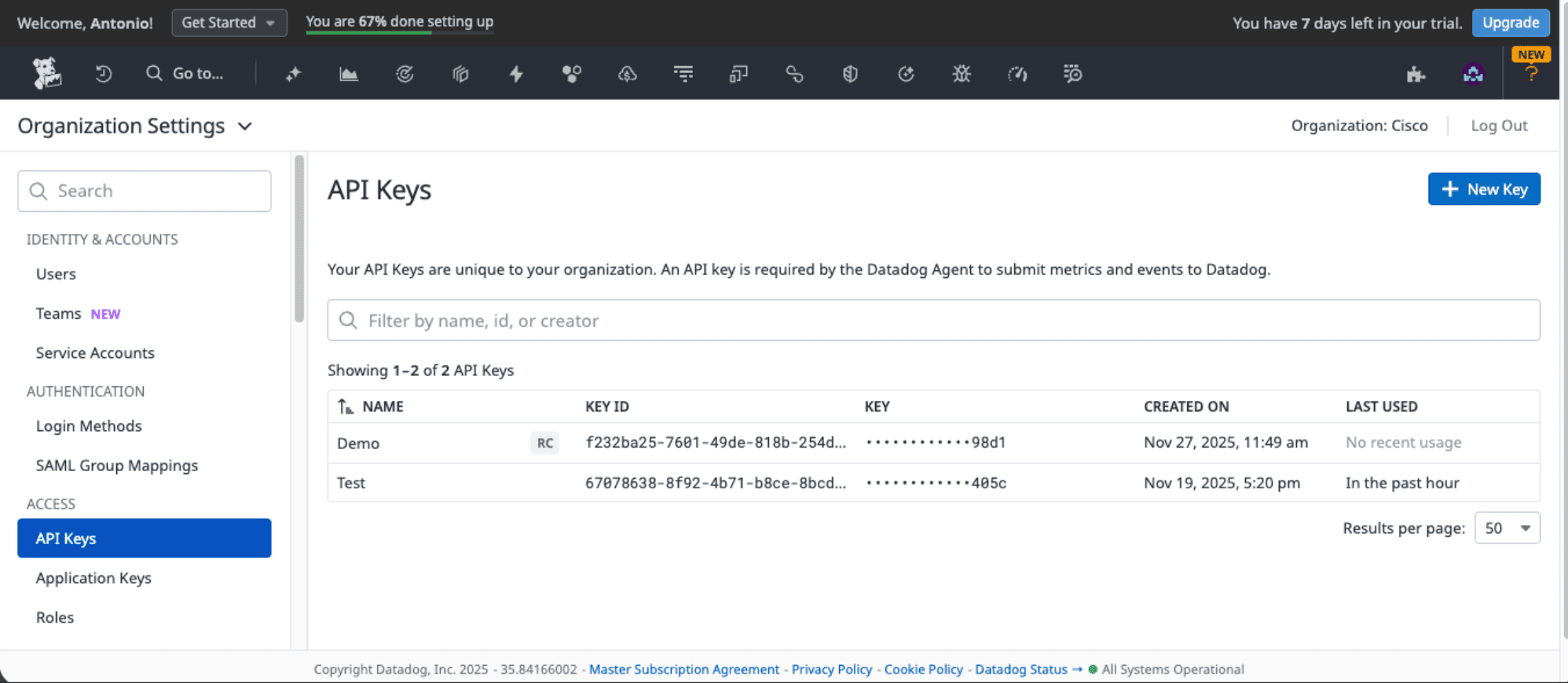
You’ll use this API key in the following ThousandEyes integration setup.
Please refer to Datadog documentation for best practices on secure API and application key storage and more.
Step 2: Create an Integration in ThousandEyes
- Navigate to Manage > Integration 1.0.
- Click + New Integration and select OpenTelemetry Integration.
- Enter a Name for the integration.
- Set the Target to HTTP.
- Enter the Endpoint URL: https://otlp.datadoghq.com/v1/metrics
- For Preset Configurations, select Datadog.
- Update the following Custom Headers:
- dd-api-key: <Your_DataDog_API_KEY>
- dd-otel-metric-config: {"resource_attributes_as_tags": true}
- Select the tests to stream.
- Click Save to complete the integration setup.
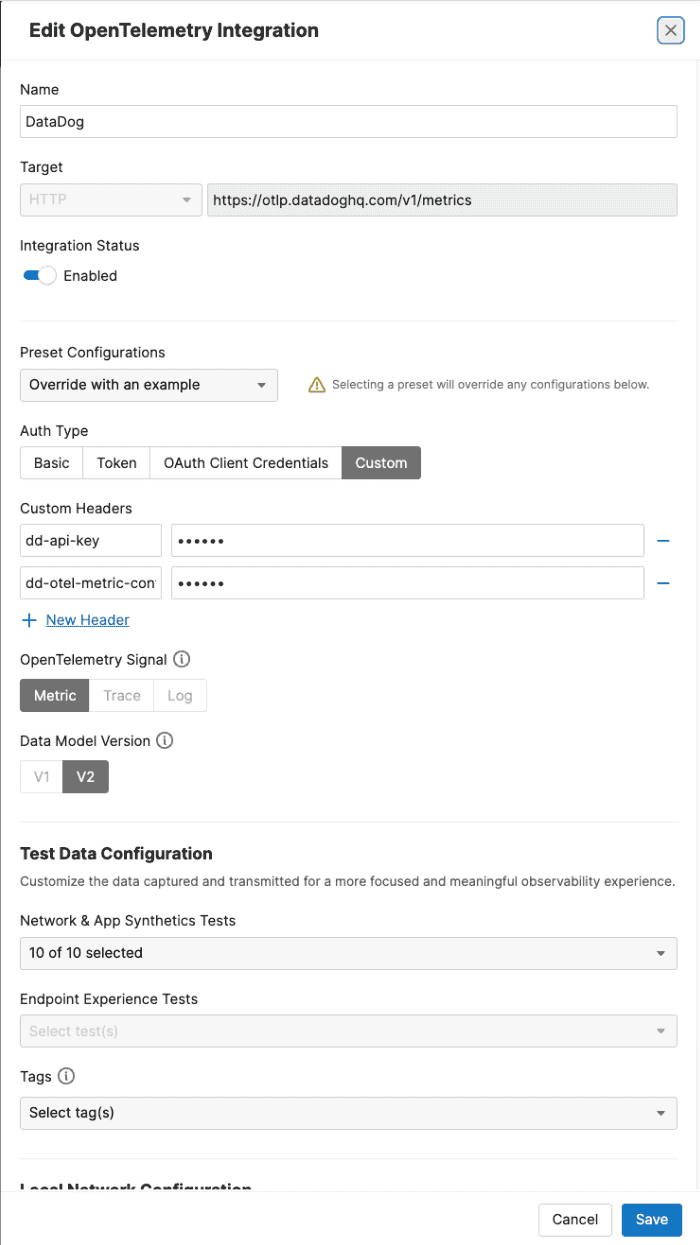
For more information, refer to ThousandEyes documentation on Datadog integration.
Step 3: Visualize ThousandEyes data in a Dashboard in Datadog
Once your integration is active, ThousandEyes metrics will begin flowing into Datadog.
- Download a prebuilt Datadog dashboard.
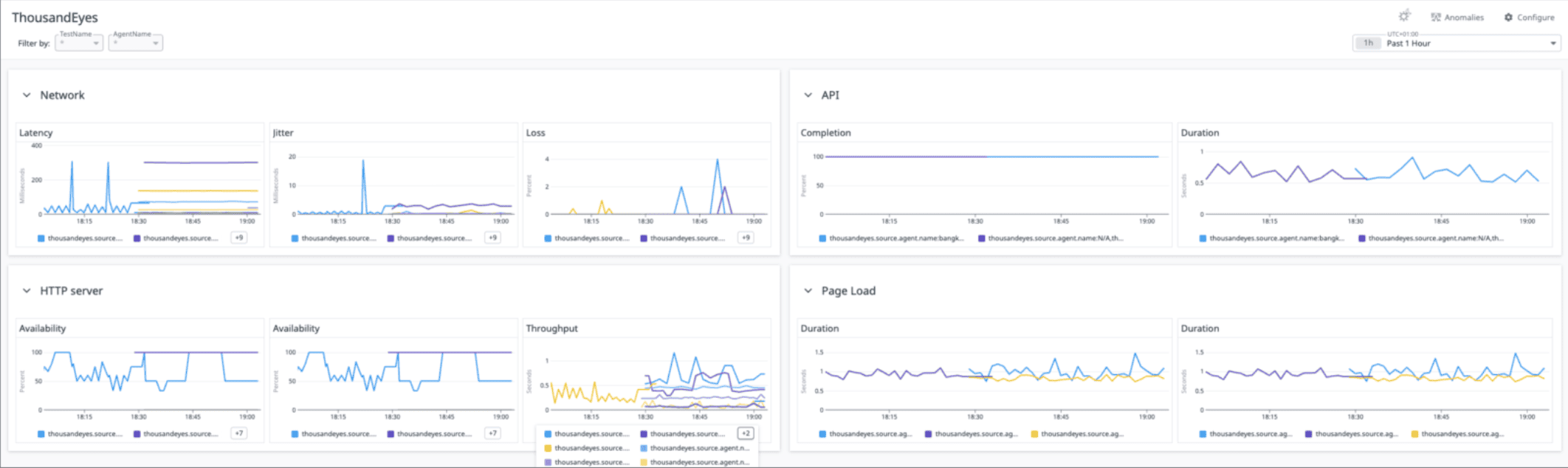
For more information, see Datadog documentation.