- All Product Innovations
- Cloud Insights
- Connected Devices
- Endpoint Experience
- Internet Insights
- Network and Application Synthetics
- Traffic Insights
- WAN Insights
ThousandEyes Cloud Insights for Microsoft Azure
In addition to its existing AWS support, ThousandEyes Cloud Insights now offers Microsoft Azure support for single and multi-cloud environments.
Innovation Overview
In addition to its existing AWS support, ThousandEyes Cloud Insights now offers Microsoft Azure support for single and multi-cloud environments.
Feature Highlights
Cloud Topology Visualization: Auto-discover Azure resources to help you understand every service dependency and gain centralized visibility. Cloud Insights provides a unified view into your Azure assets, serving as a single source of truth.
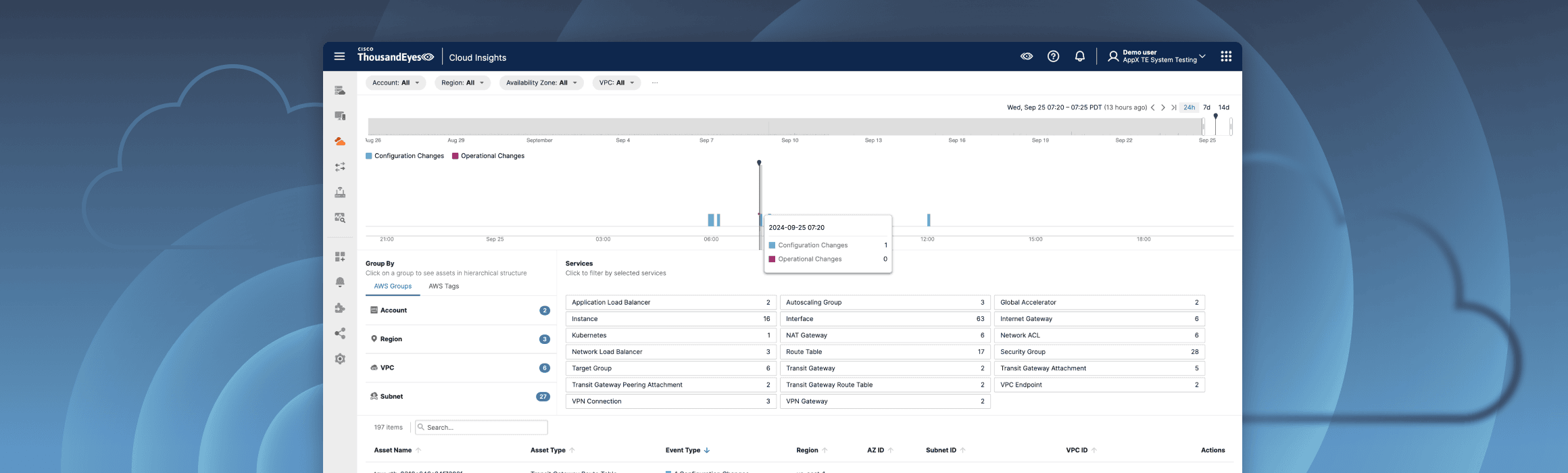
Highlighting Cloud Infrastructure Changes: The status changes made on Azure assets are tracked and correlated with performance and availability measurements. Correlate Azure configuration changes and events to time-correlated views of experience so you can isolate root cause faster.
Cloud Traffic Views: The Azure VNet flow log integration helps users efficiently troubleshoot Azure cloud networks and quickly understand cloud traffic patterns.
Customer Benefits
Azure Inventory Management: IT operations teams often rely on extensive deployments across cloud regions and accounts. Cloud Insights provides a single source of truth, giving teams an overview of all inventories.
End-to-end Visibility: Applications hosted in the cloud often hide the topology behind the edge node. Connecting the path to Azure with the topology in Azure provides complete visibility, which is critical for troubleshooting any issues on cloud-hosted infrastructure.
Visualizing Cloud Traffic Flow: The VNet flow integration allows users to quickly visualize the ingress/egress traffic across Azure assets, as well as the cloud services that rely on Azure.
Follow these quick steps to get familiar with ThousandEyes Cloud Insights for Microsoft Azure:
Create an Azure integration with the Azure Inventory Monitoring service.
When troubleshooting, you can access all your inventory data and configuration changes to each asset.
Navigate to Cloud Insights > Inventory and select Azure.
Use the Inventory page to see your Azure services across accounts and regions.
Use the Event timeline to track configuration and operational changes made to any service in the inventory and view the details.
Select and view the different filters available for the Event timeline.
Any network tests targeting Azure resources now show the cloud layer.
Navigate to Network & App Synthetics > Views and choose a test targeting an Azure resource.
View the different test layers and then select Cloud.
Scroll down and select the Topology tab to view the Azure topology details.
Click an asset in the topology to view Asset Details and any associated configuration or operational changes.